
useCallback in React is an important React Hook that helps you optimize performance by memoizing functions and preventing unnecessary function recreation during component re-renders.
Introduction
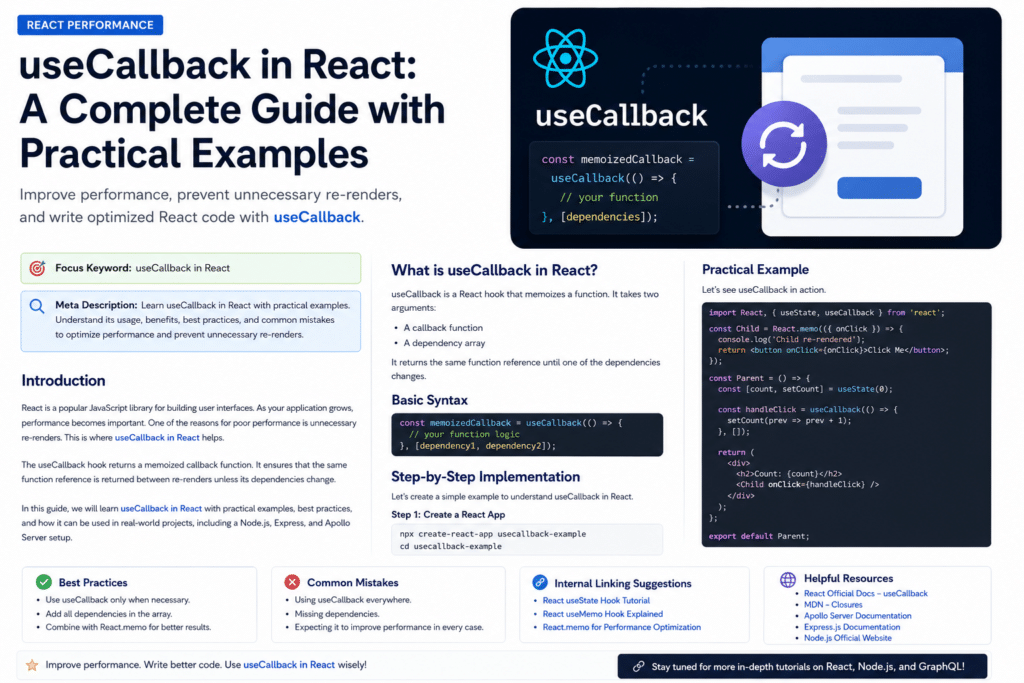
React is one of the most popular JavaScript libraries for building modern user interfaces. When you build React applications, components often re-render whenever state or props change. This is normal React behavior. But sometimes, unnecessary re-renders can affect performance, especially in large applications.
This is where useCallback in React becomes useful.
The useCallback Hook helps React remember a function between renders. In simple words, it prevents React from creating a new function again and again unless its dependencies change. This can be helpful when you pass functions as props to child components, especially when those child components are wrapped with React.memo.
According to the official React documentation, useCallback lets you cache a function definition between re-renders. This means React can reuse the same function reference until one of its dependencies changes.
Outbound reference: https://react.dev/reference/react/useCallback
In this blog, you will learn what useCallback in React is, why it is used, when to use it, when not to use it, and how to use it with practical examples.
What is useCallback in React?
useCallback is a React Hook used to memoize a function.
Memoization means storing something so it does not need to be recreated again unless required. In the case of useCallback, React stores the function itself.
Basic syntax:
const memoizedFunction = useCallback(() => {
  // function logic
}, [dependencies]);Code language: JavaScript (javascript)
The first argument is the function you want to memoize.
The second argument is the dependency array. React will create a new function only when one of the dependencies changes.
Example:
import { useCallback } from "react";

const handleClick = useCallback(() => {
  console.log("Button clicked");
}, []);Code language: JavaScript (javascript)
Here, handleClick will keep the same function reference between re-renders because the dependency array is empty.
Why Do We Need useCallback in React?
In JavaScript, functions are objects. Every time a React component re-renders, functions declared inside that component are recreated.
Example:
function Counter() {
  const handleClick = () => {
    console.log("Clicked");
  };

  return <button onClick={handleClick}>Click</button>;
}Code language: JavaScript (javascript)
In this example, every time Counter re-renders, a new handleClick function is created.
For small components, this is usually not a problem. But in large React applications, this can cause unnecessary re-renders when functions are passed to child components.
This is why useCallback in React is useful. It helps keep the same function reference between renders.
Simple Example Without useCallback
Let’s first understand the problem without useCallback.
import React, { useState, memo } from "react";

const ChildButton = memo(({ onClick }) => {
  console.log("ChildButton rendered");

  return <button onClick={onClick}>Click Child Button</button>;
});

function ParentComponent() {
  const [count, setCount] = useState(0);
  const [theme, setTheme] = useState("light");

  const handleClick = () => {
    console.log("Child button clicked");
  };

  return (
    <div>
      <h2>Count: {count}</h2>
      <h3>Theme: {theme}</h3>

      <button onClick={() => setCount(count + 1)}>
        Increase Count
      </button>

      <button onClick={() => setTheme(theme === "light" ? "dark" : "light")}>
        Toggle Theme
      </button>

      <ChildButton onClick={handleClick} />
    </div>
  );
}

export default ParentComponent;Code language: JavaScript (javascript)
In this example, ChildButton is wrapped with memo. React memo helps skip re-rendering a component if its props have not changed.
Outbound reference: https://react.dev/reference/react/memo
But there is one issue.
Every time ParentComponent re-renders, the handleClick function is recreated. Because of this, ChildButton receives a new function reference and re-renders again.
Even though the actual logic of handleClick is the same, the function reference is different.
Step-by-Step Implementation of useCallback in React
Now let’s fix the above example using useCallback in React.
Step 1: Import useCallback
First, import useCallback from React.
import React, { useState, useCallback, memo } from "react";Code language: JavaScript (javascript)Step 2: Wrap the Function with useCallback
Now wrap the handleClick function inside useCallback.
const handleClick = useCallback(() => {
  console.log("Child button clicked");
}, []);Code language: JavaScript (javascript)
Step 3: Pass the Memoized Function to Child Component
Now pass the memoized function as a prop.
<ChildButton onClick={handleClick} />Code language: HTML, XML (xml)Complete Example with useCallback
import React, { useState, useCallback, memo } from "react";

const ChildButton = memo(({ onClick }) => {
  console.log("ChildButton rendered");

  return <button onClick={onClick}>Click Child Button</button>;
});

function ParentComponent() {
  const [count, setCount] = useState(0);
  const [theme, setTheme] = useState("light");

  const handleClick = useCallback(() => {
    console.log("Child button clicked");
  }, []);

  return (
    <div>
      <h2>Count: {count}</h2>
      <h3>Theme: {theme}</h3>

      <button onClick={() => setCount(count + 1)}>
        Increase Count
      </button>

      <button onClick={() => setTheme(theme === "light" ? "dark" : "light")}>
        Toggle Theme
      </button>

      <ChildButton onClick={handleClick} />
    </div>
  );
}

export default ParentComponent;Code language: JavaScript (javascript)
Now the handleClick function keeps the same reference between renders. So ChildButton will not re-render unnecessarily when only count or theme changes.
This is one of the most common use cases of useCallback in React.
useCallback with Dependencies
Sometimes your function uses state or props. In that case, you must add those values in the dependency array.
Example:
import React, { useState, useCallback } from "react";

function Counter() {
  const [count, setCount] = useState(0);

  const showCount = useCallback(() => {
    console.log(`Current count is ${count}`);
  }, [count]);

  return (
    <div>
      <h2>Count: {count}</h2>

      <button onClick={() => setCount(count + 1)}>
        Increase
      </button>

      <button onClick={showCount}>
        Show Count
      </button>
    </div>
  );
}

export default Counter;Code language: JavaScript (javascript)
Here, showCount depends on count. So we add count in the dependency array.
If you forget to add count, the function may use an old value. This is called a stale closure issue.
Practical Example: useCallback with Search Component
Let’s create a practical example where a parent component passes a search function to a child component.
import React, { useState, useCallback, memo } from "react";

const SearchBox = memo(({ onSearch }) => {
  console.log("SearchBox rendered");

  return (
    <input
      type="text"
      placeholder="Search users..."
      onChange={(e) => onSearch(e.target.value)}
    />
  );
});

function UserPage() {
  const [users] = useState(["Amit", "Sara", "John", "Priya"]);
  const [filteredUsers, setFilteredUsers] = useState(users);
  const [theme, setTheme] = useState("light");

  const handleSearch = useCallback(
    (searchText) => {
      const result = users.filter((user) =>
        user.toLowerCase().includes(searchText.toLowerCase())
      );

      setFilteredUsers(result);
    },
    [users]
  );

  return (
    <div>
      <h1>User List</h1>

      <button onClick={() => setTheme(theme === "light" ? "dark" : "light")}>
        Toggle Theme
      </button>

      <p>Current Theme: {theme}</p>

      <SearchBox onSearch={handleSearch} />

      <ul>
        {filteredUsers.map((user) => (
          <li key={user}>{user}</li>
        ))}
      </ul>
    </div>
  );
}

export default UserPage;Code language: JavaScript (javascript)
In this example, SearchBox is wrapped with memo. The handleSearch function is wrapped with useCallback. This prevents unnecessary re-rendering of SearchBox when the parent component changes because of unrelated state like theme.
useCallback in React with API Calls
You can also use useCallback in React when you want to define a stable API call function.
Example:
import React, { useState, useCallback, useEffect } from "react";

function Products() {
  const [products, setProducts] = useState([]);

  const fetchProducts = useCallback(async () => {
    const response = await fetch("https://api.example.com/products");
    const data = await response.json();

    setProducts(data);
  }, []);

  useEffect(() => {
    fetchProducts();
  }, [fetchProducts]);

  return (
    <div>
      <h1>Products</h1>

      {products.map((product) => (
        <p key={product.id}>{product.name}</p>
      ))}
    </div>
  );
}

export default Products;Code language: JavaScript (javascript)
Here, fetchProducts is used inside useEffect. By wrapping it with useCallback, the function reference stays stable. This prevents the effect from running again unnecessarily.
useCallback with Express API Example
Suppose you have a simple Express API.
import express from "express";

const app = express();

app.get("/api/users", (req, res) => {
  res.json([
    { id: 1, name: "Amit" },
    { id: 2, name: "Sara" },
    { id: 3, name: "John" },
  ]);
});

app.listen(5000, () => {
  console.log("Server running on port 5000");
});Code language: JavaScript (javascript)
Now you can call this API from React using a memoized callback.
import React, { useState, useCallback, useEffect } from "react";

function Users() {
  const [users, setUsers] = useState([]);

  const fetchUsers = useCallback(async () => {
    const response = await fetch("http://localhost:5000/api/users");
    const data = await response.json();

    setUsers(data);
  }, []);

  useEffect(() => {
    fetchUsers();
  }, [fetchUsers]);

  return (
    <div>
      <h1>Users</h1>

      {users.map((user) => (
        <p key={user.id}>{user.name}</p>
      ))}
    </div>
  );
}

export default Users;Code language: JavaScript (javascript)
This is a clean and practical usage of useCallback in React when working with backend APIs.
useCallback with Apollo Client Example
If you are using GraphQL with Apollo Client, you can also use useCallback for event handlers that call queries or mutations.
Example:
import React, { useCallback } from "react";
import { gql, useLazyQuery } from "@apollo/client";

const GET_USER = gql`
  query GetUser($id: ID!) {
    user(id: $id) {
      id
      name
      email
    }
  }
`;

function UserSearch() {
  const [getUser, { data, loading, error }] = useLazyQuery(GET_USER);

  const handleSearch = useCallback(() => {
    getUser({
      variables: {
        id: "1",
      },
    });
  }, [getUser]);

  if (loading) return <p>Loading...</p>;
  if (error) return <p>Something went wrong</p>;

  return (
    <div>
      <h1>Search User</h1>

      <button onClick={handleSearch}>
        Get User
      </button>

      {data?.user && (
        <div>
          <p>Name: {data.user.name}</p>
          <p>Email: {data.user.email}</p>
        </div>
      )}
    </div>
  );
}

export default UserSearch;Code language: JavaScript (javascript)
Here, handleSearch is memoized using useCallback. This is useful when the handler is passed to child components or used inside other Hooks.
Difference Between useCallback and useMemo
Many beginners get confused between useCallback and useMemo.
Both are used for performance optimization, but they are different.
useCallback
useCallback memoizes a function.
const handleClick = useCallback(() => {
  console.log("Clicked");
}, []);Code language: JavaScript (javascript)
useMemo
useMemo memoizes a calculated value.
const total = useMemo(() => {
  return price * quantity;
}, [price, quantity]);Code language: JavaScript (javascript)
React’s official documentation says useMemo caches the result of a calculation between re-renders.
Outbound reference: https://react.dev/reference/react/useMemo
Simple rule:
Use useCallback when you want to memoize a function.
Use useMemo when you want to memoize a value.
Best Practices for useCallback in React
1. Use useCallback Only When Needed
Do not use useCallback everywhere. It is mainly useful when:
- You pass a function to a memoized child component
- The function is used as a dependency in
useEffect - The component is expensive to re-render
- You want to keep a stable function reference
Using useCallback without a real reason can make code harder to read.
2. Always Add Correct Dependencies
If your callback uses state, props, or variables from the component, add them to the dependency array.
Wrong example:
const showName = useCallback(() => {
  console.log(name);
}, []);Code language: JavaScript (javascript)
Correct example:
const showName = useCallback(() => {
  console.log(name);
}, [name]);Code language: JavaScript (javascript)
3. Use React.memo with useCallback
useCallback is more useful when combined with React.memo.
Example:
const Child = React.memo(({ onClick }) => {
  return <button onClick={onClick}>Click</button>;
});Code language: JavaScript (javascript)
If the child component is not memoized, useCallback may not give visible performance benefits.
4. Avoid Over-Optimization
Performance optimization is good, but over-optimization can make your code complex.
Before using useCallback in React, ask yourself:
Will this function be passed to a memoized child component?
Is this function causing unnecessary re-renders?
Is this component performance-sensitive?
If the answer is no, you may not need useCallback.
5. Use React DevTools Profiler
To check performance issues, use React DevTools Profiler. It helps you see which components are re-rendering and why.
Outbound reference: https://react.dev/learn/react-developer-tools
Common Mistakes with useCallback in React
Mistake 1: Using useCallback Everywhere
Some developers wrap every function with useCallback. This is not required.
Bad example:
const handleChange = useCallback((e) => {
  setName(e.target.value);
}, []);Code language: JavaScript (javascript)
If this function is not passed to a memoized child component or used as a Hook dependency, useCallback may not help much.
Mistake 2: Missing Dependencies
This is one of the most common mistakes.
const handleSubmit = useCallback(() => {
  console.log(email);
}, []);Code language: JavaScript (javascript)
Here, email is used inside the callback, but it is missing from the dependency array.
Correct version:
const handleSubmit = useCallback(() => {
  console.log(email);
}, [email]);Code language: JavaScript (javascript)
Mistake 3: Thinking useCallback Prevents All Re-Renders
useCallback does not stop the parent component from re-rendering. It only keeps the function reference stable.
To prevent unnecessary child component re-renders, you usually need React.memo along with useCallback.
Mistake 4: Confusing useCallback with useMemo
Remember:
useCallback returns a memoized function.
useMemo returns a memoized value.
Mistake 5: Ignoring Readability
If useCallback makes your code harder to understand and gives no performance benefit, avoid it.
Clean and readable code is also important.
When Should You Use useCallback in React?
You should use useCallback in React when you want to optimize performance and prevent unnecessary function recreation.
Good use cases include:
- Passing event handlers to memoized child components
- Using functions inside
useEffect - Passing callbacks to custom Hooks
- Working with expensive child components
- Building large React applications with many nested components
Example:
const handleDelete = useCallback((id) => {
  setItems((prevItems) => prevItems.filter((item) => item.id !== id));
}, []);Code language: JavaScript (javascript)
This callback is stable and does not need items as a dependency because it uses the functional form of setItems.
When Should You Avoid useCallback?
Avoid useCallback when:
- The component is small
- The function is simple
- The function is not passed as a prop
- There is no performance problem
- It makes the code harder to read
Example:
function SimpleButton() {
  const handleClick = () => {
    alert("Hello");
  };

  return <button onClick={handleClick}>Click</button>;
}Code language: JavaScript (javascript)
In this case, using useCallback is not necessary.
Conclusion
useCallback in React is a useful Hook for performance optimization. It helps memoize functions so React does not create a new function on every render unless dependencies change.
However, you should not use useCallback everywhere. It is most useful when you pass functions to memoized child components, use functions inside useEffect, or work with performance-sensitive components.
For beginners, the most important point is simple:
Use useCallback when function reference stability matters.
If your app is small and there is no performance issue, normal functions are perfectly fine.
When used correctly, useCallback in React can help you write cleaner, faster, and more optimized React applications.